June 2024
Deploy an App with AWS CodeDeploy
In this project, I learned how to:
- 💡 Create deployment scripts.
- 💡 Direct CodeDeploy with appspec.yml file.
- 💡 Build a CodeDeploy application.
- 💡 Set up a deployment group.
- 💡 Launch your automated deployment.
- 💡 How to debug the deployment error through deployment log
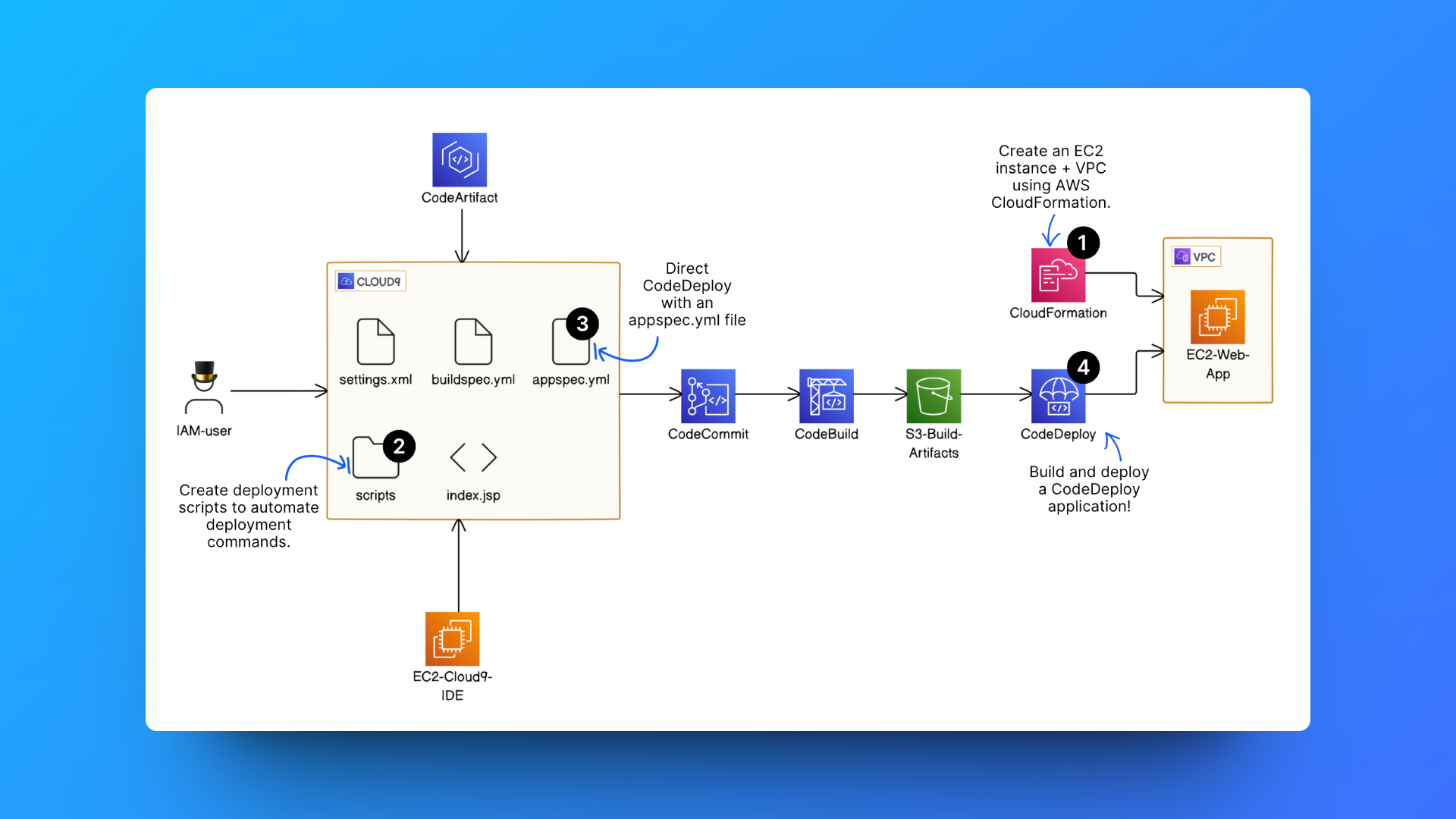
✅ Steps completed from previous project sections:
Step 1: Setting up a web app and IDE in the Cloud
Step 2: Create a Repository in AWS CodeCommit
Step 3: Secure the project's dependencies with AWS CodeArtifact
Step 4: Package an App with AWS CodeBuild
⏭️ Step 5: Deploy the App with AWS CodeDeploy
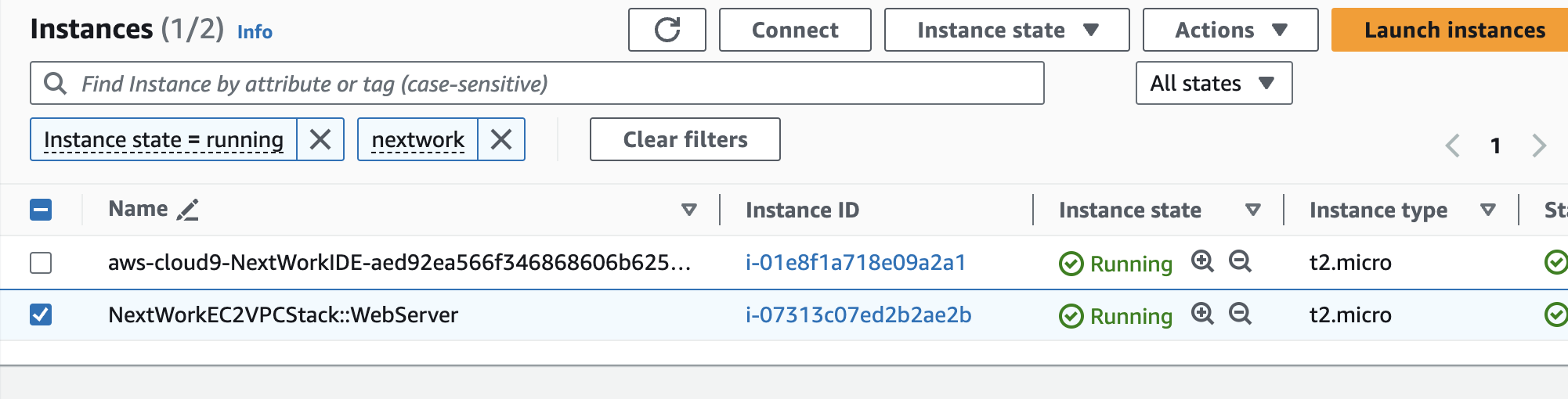
1. Use AWS CloudFormation to provision a VPC and an EC2 instance for deployment.
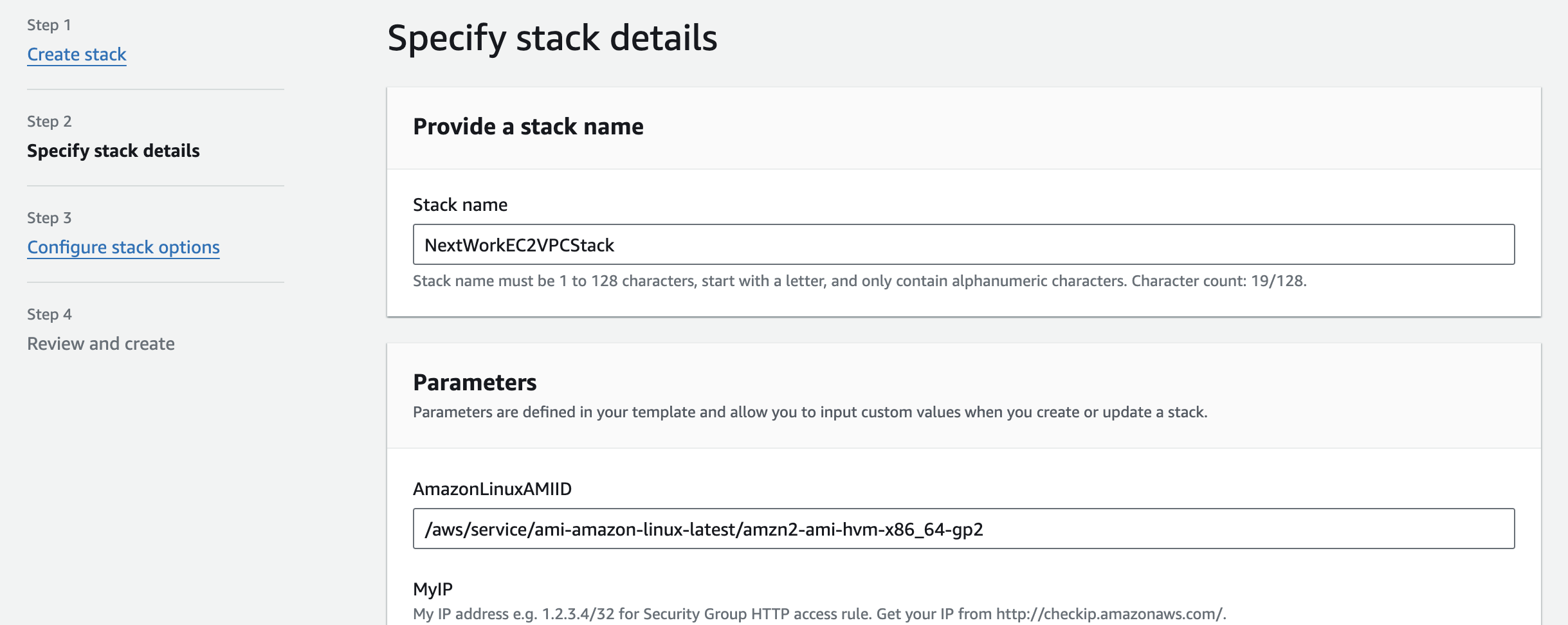
Key notes ✏️:
Why need a VPC?
Web apps need a VPC because they have more complex needs like connecting with multiple resources that communicate with each other e.g. databases and EC2 instances, keeping everything secure, and controlling network traffic.
2. Create scripts
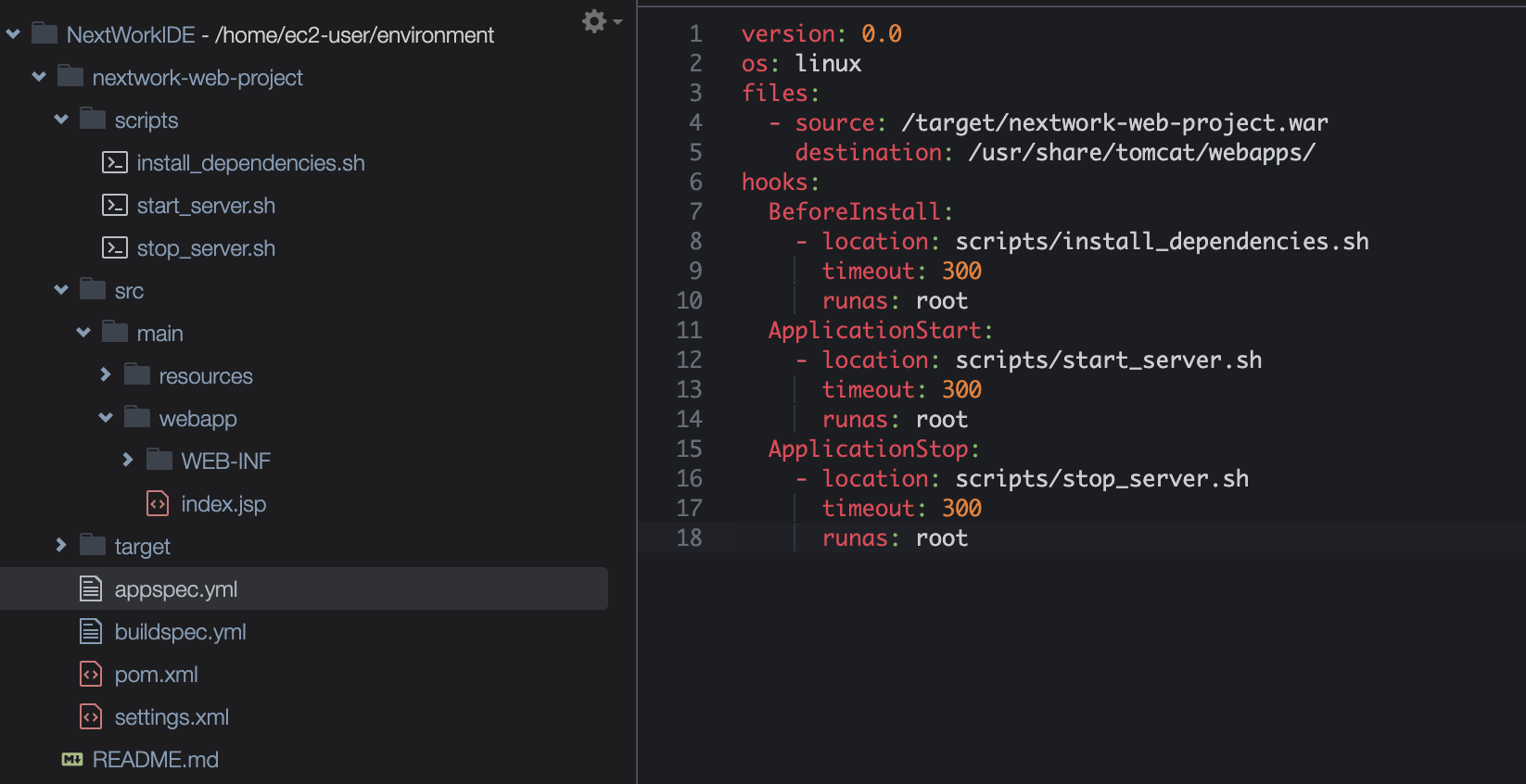
- In the Cloud9 IDE, I crafted three bash scripts that automate the setup, startup, and shutdown of your the app on EC2 instances.

3. Create a appspec.yml file
- Create a appspec.yml file in the root of the code repository
Key notes ✏️:
What's a appspec.yml for?
It transforming the manual scripts into a structured CodeDeploy workflow. It tells CodeDeploy what to do at different stages of the deployment process, such as which scripts to run and where to place files from installing dependencies to starting the server.
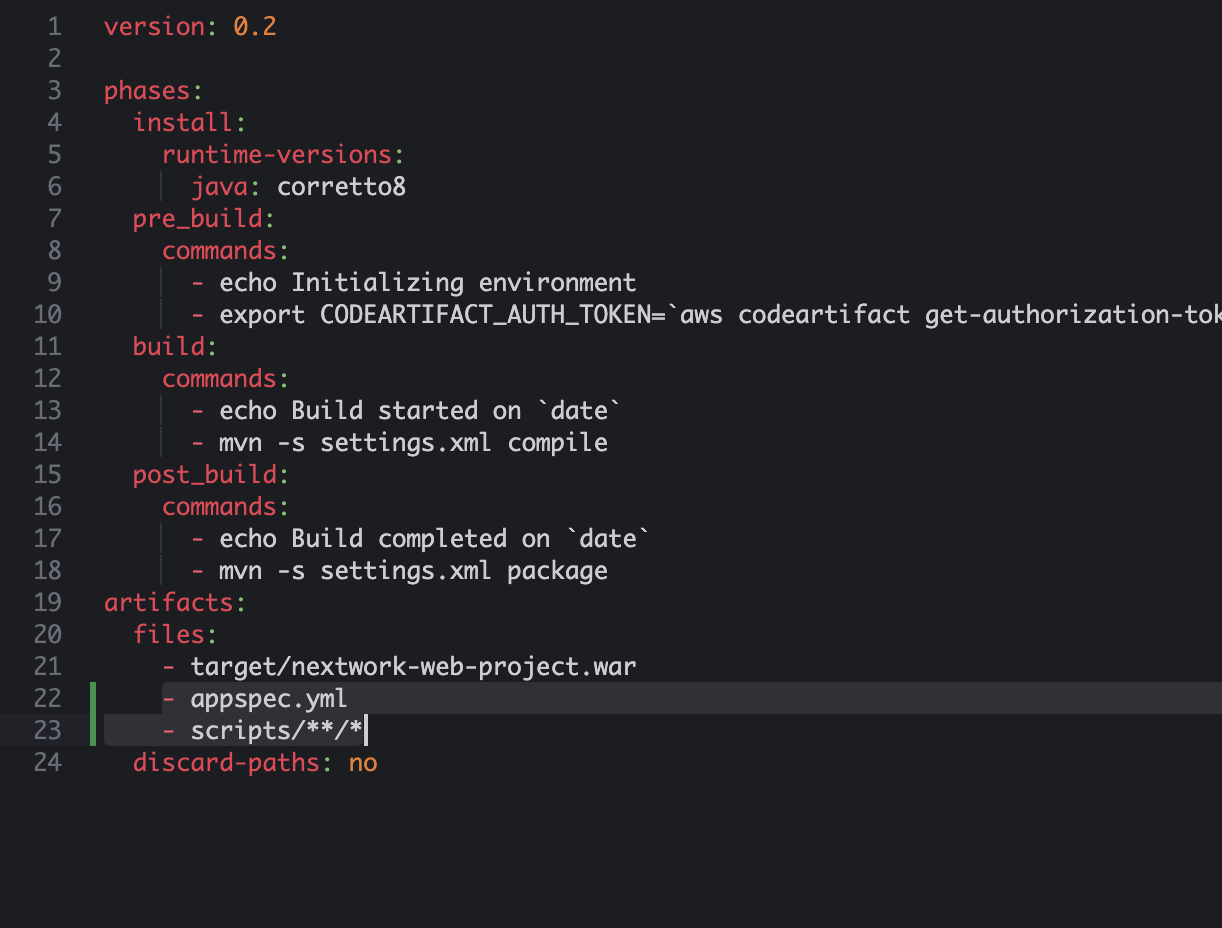
- Adds the appspec.yml and scripts folder to the buildspec.yml file so that they can be added to the WAR file after the build process.
4. Create a "AWSCodeDeployRole" in IAM
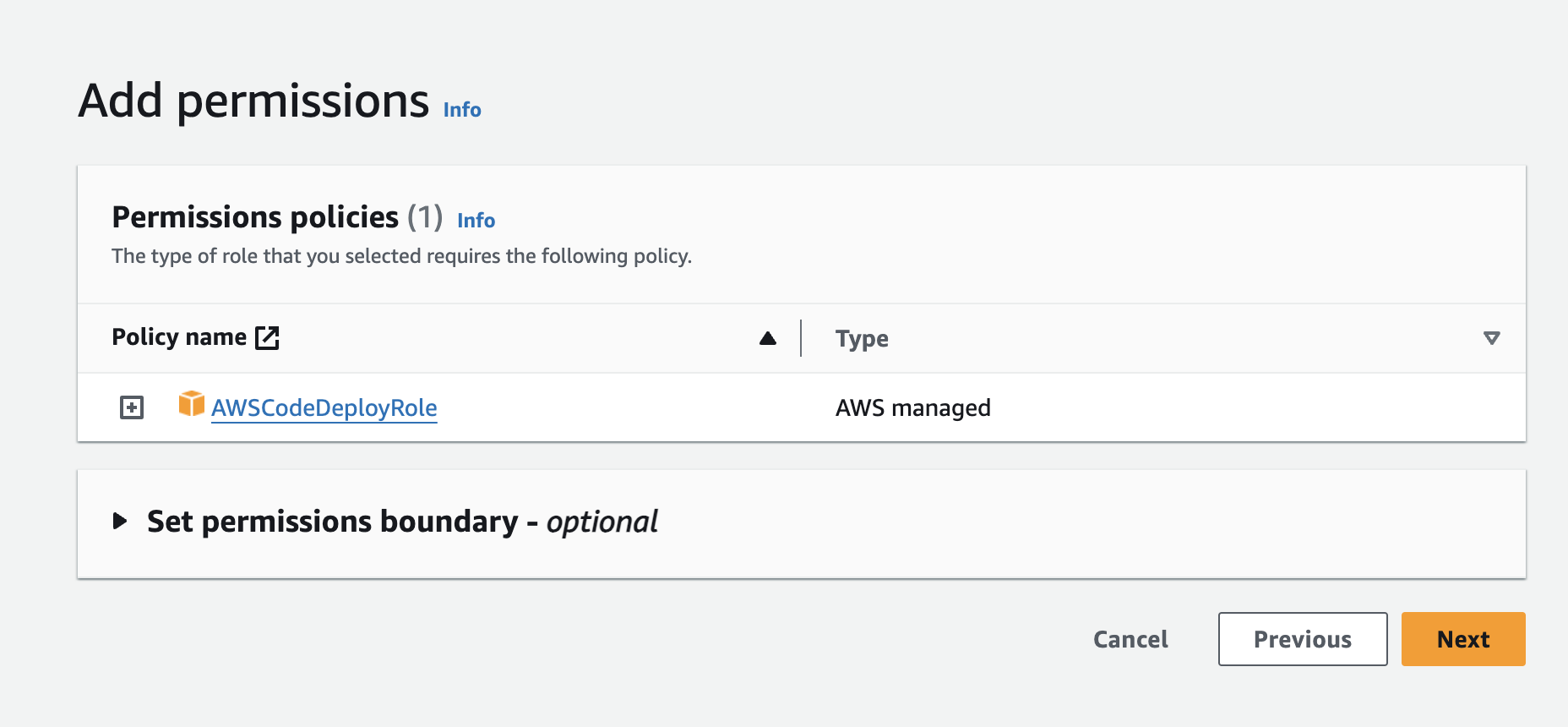
- Create a new role with CodeDeploy as the service and use case. The "AWSCodeDeployRole" will grant CodeDeploy access to the EC2.
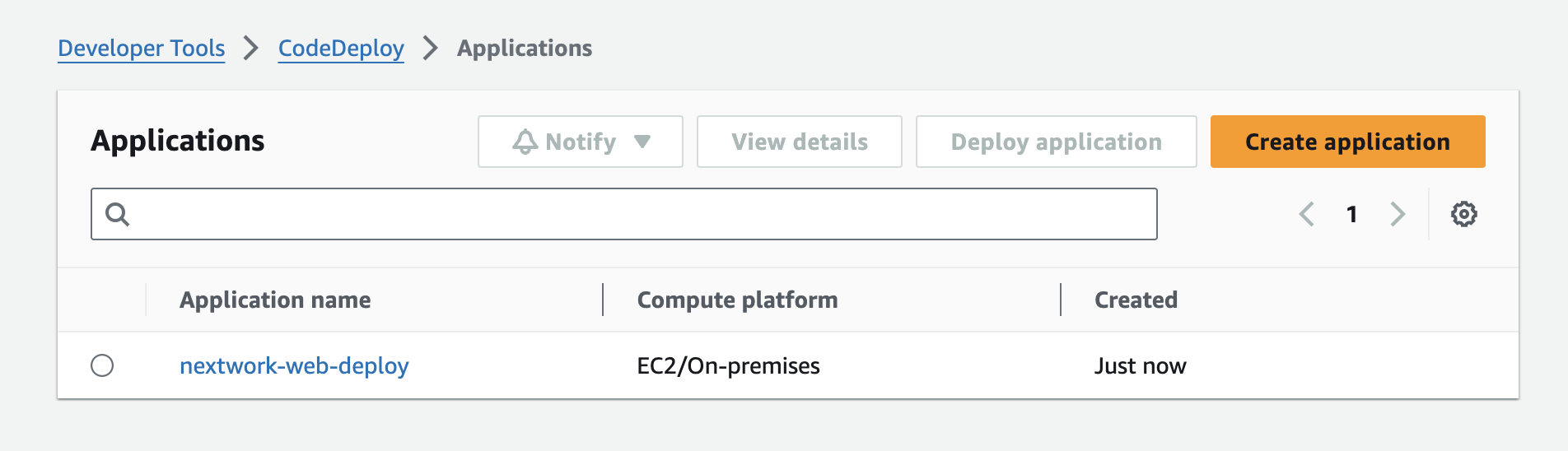
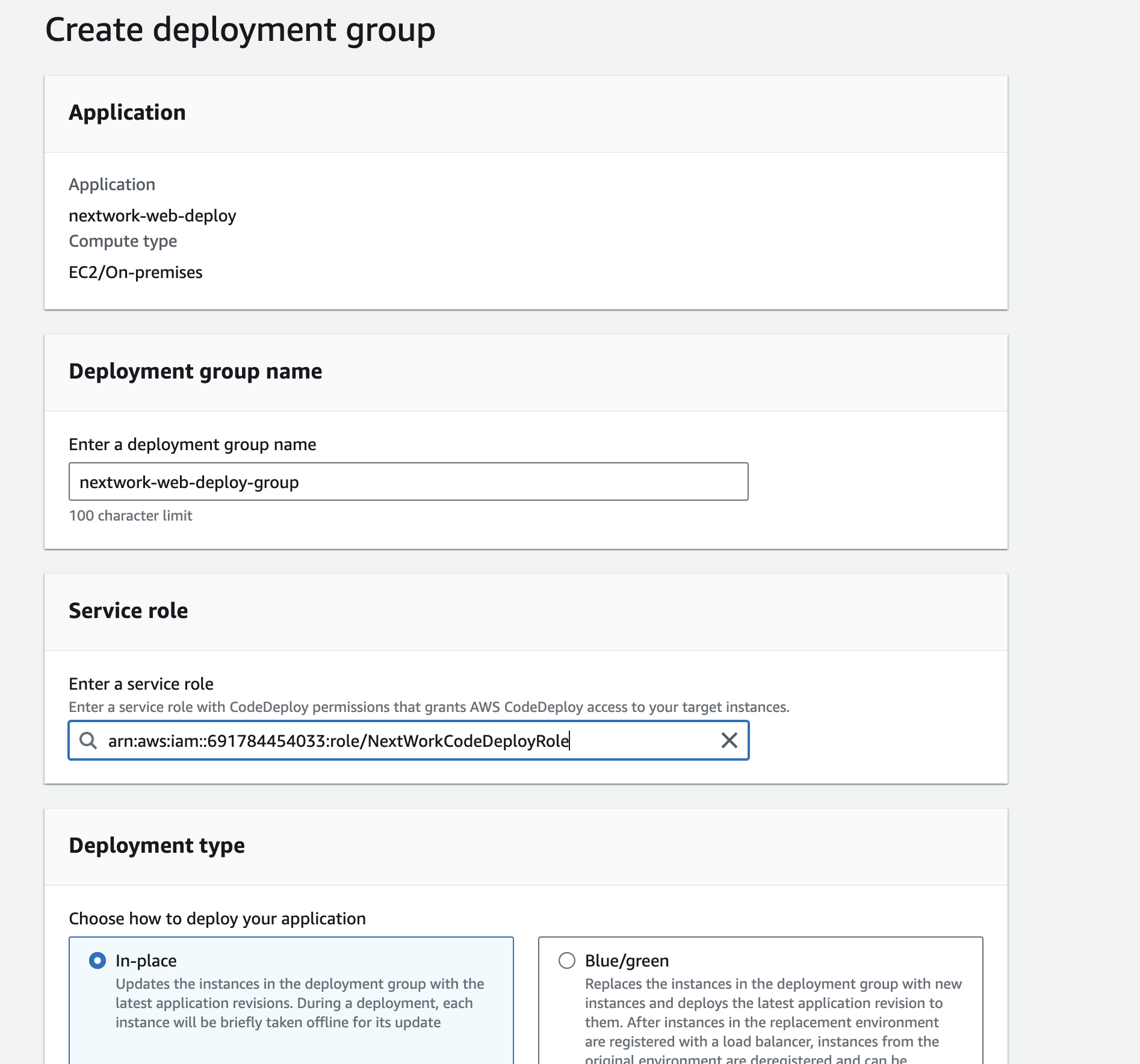
5. Create a CodeDeploy application and deployment group
6. Create and launch a deployment
In the config, I pointed CodeDeploy to WAR file's S3 bucket.
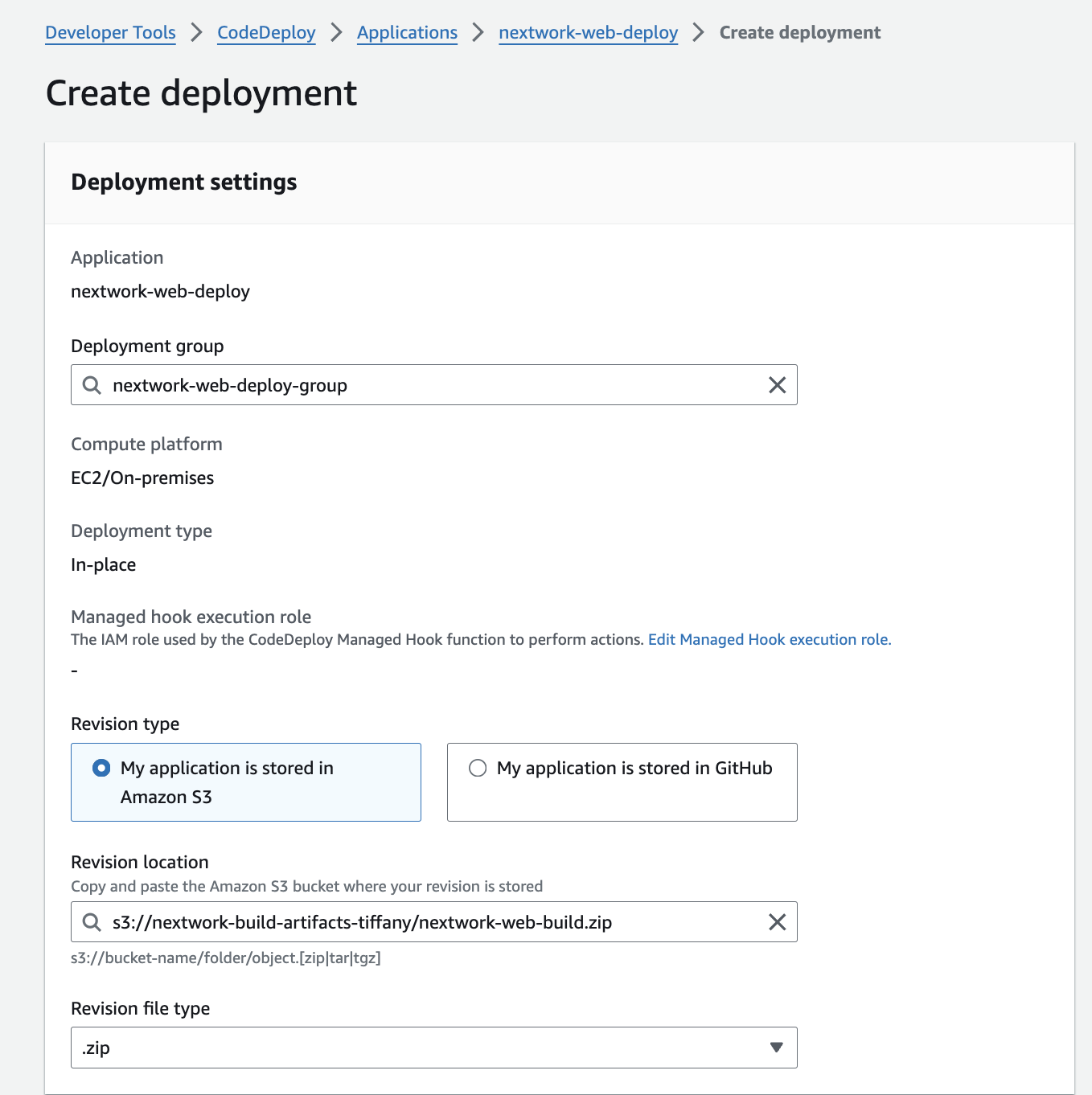
Config the environment to the EC2 instance.

After configuration, I lauched the deployment, and oops it fails....

An error I ran into was...👀
My first deployment attemp failed and by reading the error banner, I researched and guessed that the issue might be relevent to CodeDeploy agent wasn't running in the EC2. So I signed in the EC2 terminal to check if the Agent was active.

From the terminal, it showed that the CodeDeploy agent was active. Then, I researched how to check the deployment log to find the error.

By following the Amazon doc instruction, I logged the deployment process and find the error:
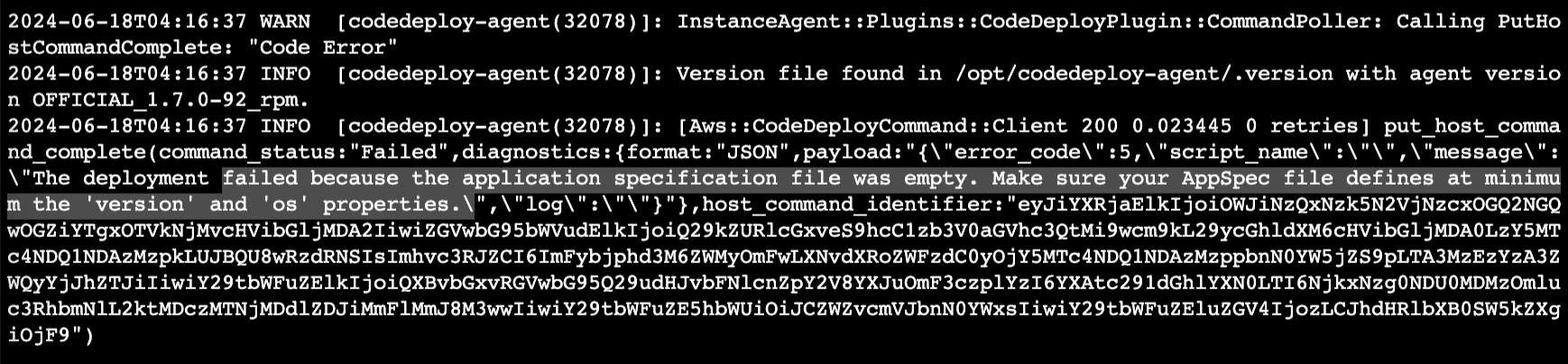
It said that the appspec.yml file is empty. So I checked the file and found it somehow had no code in it that caused the problem.
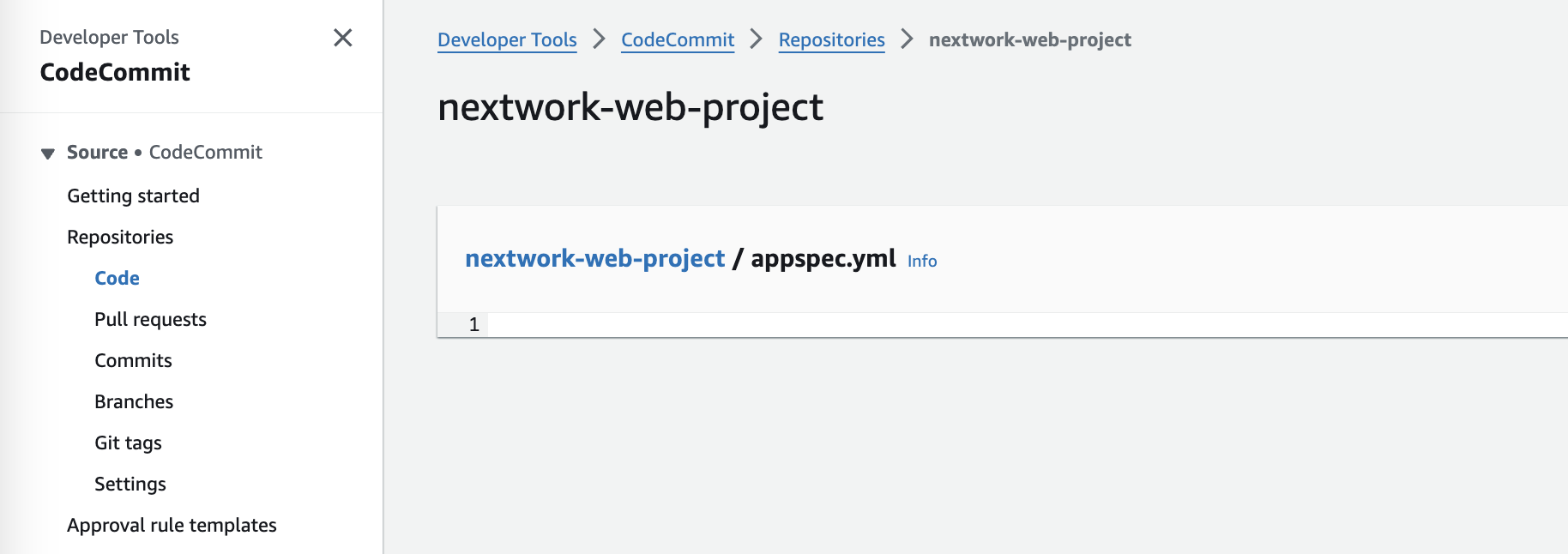
I pushed the appspec.yml file again and made another deployment....and it failed again...🤦♀️
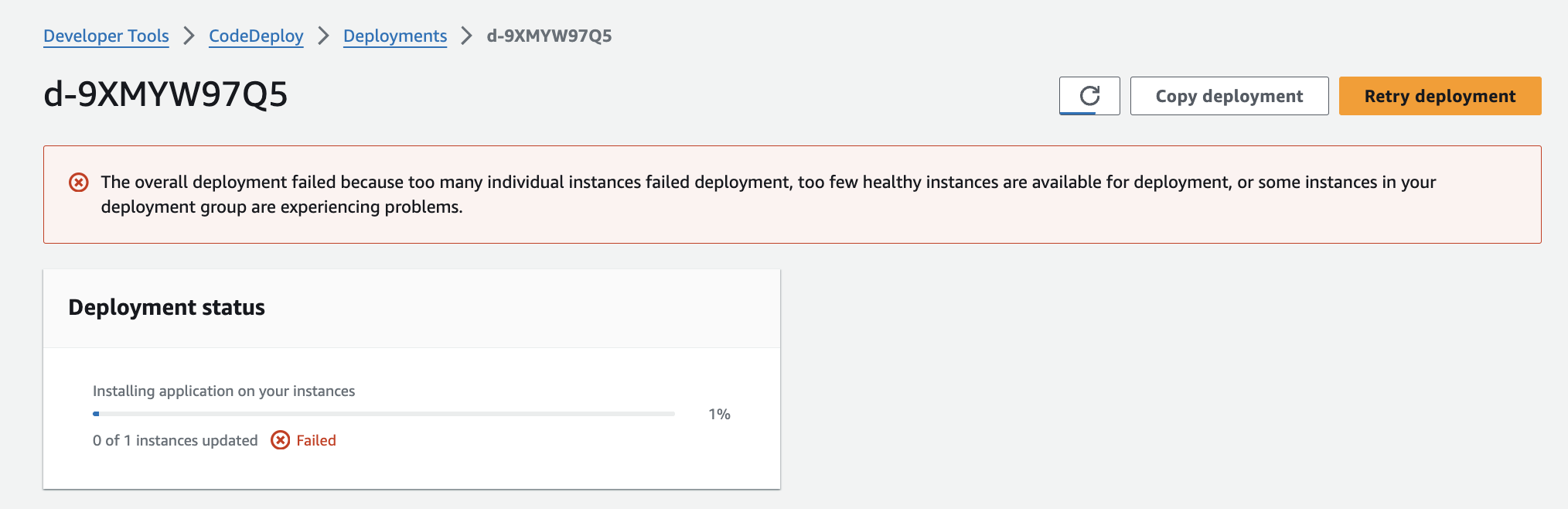

I logged another error saying that the version should be "0.0" instead of "0.1". I then updated the appspec.yml file again and tried the deployment one more time.
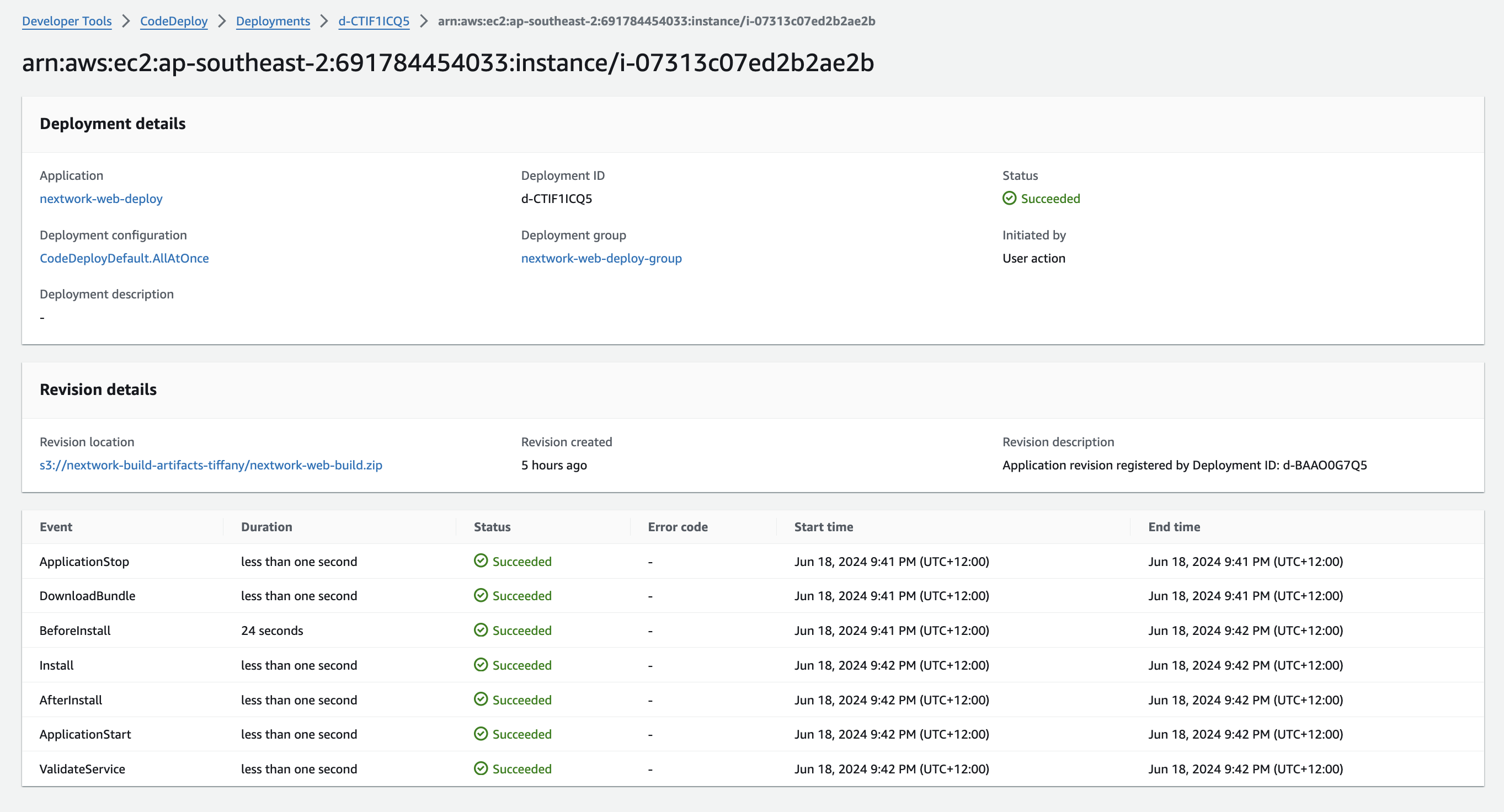
Delployment succeed!
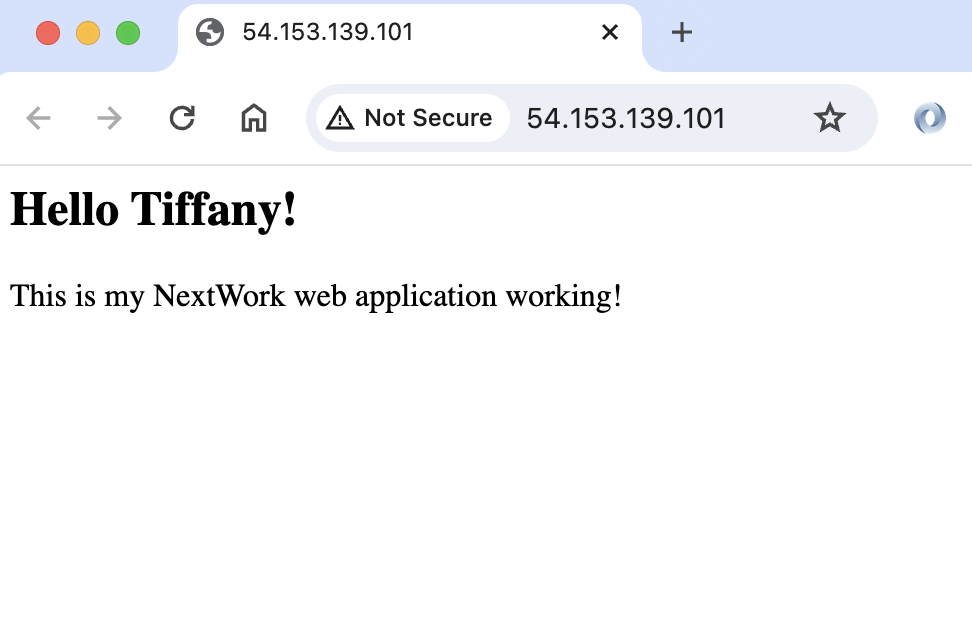
The web page is live 🎉
In the next project (part five), I'm going to automate the entire pipeline (from CodeCommit to CodeDeploy) with AWS CloudFormation and CodePipeline!